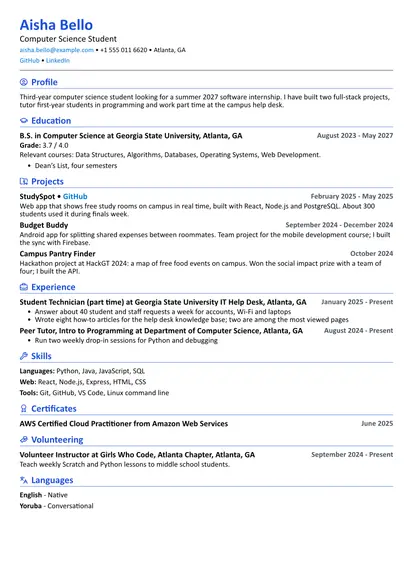
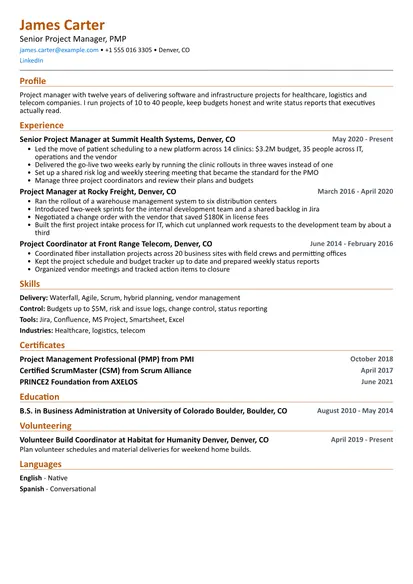
Hiring for design roles usually happens in two steps: someone reads your resume, then someone opens your portfolio. This template is built for the first step. It uses the Two Column layout with a rose heading color, so it looks considered without getting in the way of the content, and every word is real text that an applicant tracking system can read.
The sample belongs to a senior graphic designer with eight years of brand, print and digital work at a studio, an in-house marketing team and a print shop. The same structure works for junior designers, production artists, brand designers and art directors. Replace the content with your own and remove the sections you don't need.
Template at a glance
| Setting | This template |
|---|---|
| Layout | Two Column, with skills, tools and languages in the side column |
| Length | One page for almost everyone |
| Best for | Graphic designers, brand designers, production artists, packaging and print designers, junior designers |
| Section order | Summary, experience, selected work, education, skills, certificates, languages |
| Also works in | ATS Friendly (large company job portals), Simple (more white space) |
What hiring managers look for
A creative director or design lead reads a resume with a few questions in mind. What kind of work have you done: identity, packaging, editorial, campaigns, social, presentations? Did you lead projects or support them? Have you worked with real constraints like budgets, printers, brand guidelines and client feedback? And does the resume itself show taste and care?
That last question is specific to design. A designer's resume is a small sample of their work. Misaligned dates, three different fonts or a cramped page tell the reader something before they get to the words. You don't need a dramatic layout. You need clean type, consistent spacing and a clear order.
Before the design lead, there is often a recruiter or HR coordinator. They compare your resume with the job post and check for the job title, the tools named in the ad and the type of work. If the post asks for "packaging" and "Adobe Illustrator", those words should appear on your resume in plain text.
How the resume and the portfolio work together
Think of the resume as the index and the portfolio as the book. The resume gives the facts: employers, dates, roles, tools and the scale of the work. The portfolio shows what the work looked like and how you got there. Each one should point to the other.
In practice that means three things:
- One portfolio link in the header. Use a short, readable address on your own domain or a portfolio site. Check that it opens on a phone and doesn't ask for a login.
- Matching project names. If your resume mentions the "Harbor Credit Union rebrand", the portfolio should have a page with that name. Recruiters look for it.
- Your role written down. On the resume and on each portfolio page, say what you did. Shared work is normal in design. Being clear about your part builds trust.
If the portfolio is password protected because of client agreements, say so next to the link and give the password in the application or cover letter. If some work can't be shown at all, describe it in a bullet on the resume and offer to walk through it in the interview.
How to write each section
Header and contact details
Your name, the job title you want, city and state, email, phone, the portfolio link and LinkedIn if you keep it current. A Behance or Dribbble profile can replace or support the portfolio, but one strong link is better than four weak ones. You don't need a street address.
Use a title that matches the post when it is honest. "Graphic Designer", "Brand Designer" and "Production Designer" are understood everywhere. Internal titles like "Creative II" or "Visual Specialist" are harder to place.
Summary
Two or three sentences: your level, the kind of design you do, the sectors or clients you know and one thing that describes how you work. These examples show the pattern at different levels:
Junior: Graphic designer with a BFA and one year at a regional print shop. I prepare files for offset and digital print, design flyers and menus for local businesses and know my way around InDesign and Illustrator.
Mid-level: Brand and marketing designer with four years in-house at a consumer company. I design campaigns across print, email and social, keep a large brand system consistent and work closely with copywriters and the web team.
Senior: Graphic designer with eight years of identity, packaging and print work for food, finance and nonprofit clients. I lead projects from first sketch to press check, present directly to clients and mentor junior designers.
Experience
List jobs in reverse order, newest first. For each one give the company, your title, the city and the dates by month and year. Add a short line of context when the employer is not well known, for example "Independent brand studio, 12 people, food and hospitality clients" or "In-house team of four at an outdoor apparel brand."
Use three to five bullets for your current job and one to three for older ones. Each bullet should describe a piece of work, your part in it and what happened next. Freelance work goes here too, grouped as one entry.
Selected work
This is the section that makes a designer's resume different. The sample renames the projects section to "Selected work" and lists three projects, each with one line about the brief and your role, plus a link to the portfolio page.
Choose projects that match the job. For a packaging role, lead with packaging. For an in-house marketing job, show a campaign that ran across several channels. Personal projects belong here only when they show something your jobs don't, like type design or illustration.
Skills and tools
Split this into short labeled lines. The sample uses design, digital, tools and production. Name software the way job posts write it: Adobe Illustrator, Adobe InDesign, Adobe Photoshop, Figma, After Effects. Put the tools you use daily first.
Production knowledge is worth listing on its own line. Prepress, color management, Pantone matching, dielines and large format printing are skills many studios struggle to hire for.
Education
Degree, school and years. A BFA or BA in graphic design, visual communication or a related field is common, but not required. Certificate programs and design bootcamps belong here too. After a few years of work, education moves below experience and needs no detail. Recent graduates can add a line about a thesis project or an award from a student competition.
Certifications
Design certifications rarely decide a hire, but some employers and agencies like to see them, especially for software. Adobe Certified Professional credentials are the ones that appear most in job posts. List the full name, the issuer and the year.
Writing experience bullets
Start each bullet with a verb, describe the work and end with the result. Design results are often not numbers, and that is fine. A result can be that the client approved the first round, that the packaging went to print with no corrections, that a template saved the sales team from rebuilding decks, or that the event sold out. When you do have numbers, like print runs, number of stores, campaign sign-ups or turnaround time, use them.
A simple pattern: what you designed + your role + what happened.
- Weak: "Responsible for social media graphics."
- Better: "Designed a weekly social template set in Figma, so the marketing team could publish posts without waiting for design."
Examples by level
Junior designer
- Prepared print-ready files for about 40 jobs a month, including bleeds, color profiles and imposition notes
- Designed menus and signage for six local restaurants, from brief to final install
- Retouched product photography for the online store and kept file naming consistent for the web team
- Built a shared InDesign template library that cut setup time for recurring jobs
Mid-level designer
- Designed the spring campaign across print ads, email, in-store posters and paid social for 85 stores
- Rewrote the brand guidelines into a 30-page practical guide with do and don't examples for partners
- Created a Figma component set for social and email, now used by three marketers without design help
- Managed photo shoots for the catalog with an external photographer and a stylist, from shot list to final selects
Senior designer or art director
- Led the rebrand of a regional credit union, including logo, typography, color system and branch signage across 14 locations
- Presented concepts directly to clients and handled feedback rounds, keeping most projects within two revisions
- Mentored two junior designers through weekly critiques and file reviews
- Set up the studio's print production checklist, which ended reprints caused by file errors
Examples by specialty
Brand identity
- Designed the logo, type system and color palette for a new coffee chain, applied to cups, menus, signage and the app icon
- Wrote a brand book that local print shops and sign makers could use without calling the studio
- Audited a client's existing materials and reduced 11 logo versions to three approved files
Print and packaging
- Designed packaging for a line of 22 sauces, working from the manufacturer's dielines and label regulations
- Ran press checks at the printer and approved color against Pantone references
- Prepared files for offset, digital, screen print and large format, with notes for each vendor
Digital and social
- Designed web banners, landing page visuals and email headers for monthly product launches
- Built animated social posts in After Effects that the team reused as templates for each campaign
- Worked with developers to turn brand guidelines into a web style sheet with accessible color contrast
Editorial and publishing
- Designed the 64-page annual report for a food bank, including charts, photography layout and a print and web version
- Laid out a quarterly member magazine, managing a grid system so issues stayed consistent across designers
- Set long-form text with careful hyphenation, widows and orphans control for a small book publisher
In-house marketing
- Handled design requests from sales, HR and events through a simple intake form, with most requests delivered within a week
- Built presentation templates in PowerPoint and Google Slides that the sales team now uses for every pitch
- Designed trade show booths and printed materials for four events a year, coordinating shipping with the events manager
Skills and keywords
Recruiters and tracking systems search for exact terms, so name tools and types of work as they appear in job posts. Write "Adobe InDesign" rather than "ID", and "packaging design" rather than "pack". List only what you have used on real projects.
| Category | Common examples |
|---|---|
| Design | Brand identity, typography, layout, logo design, packaging design, editorial design, illustration |
| Digital | Social media graphics, email design, web banners, presentation design, basic UI design |
| Tools | Adobe Illustrator, Adobe InDesign, Adobe Photoshop, Figma, After Effects, Acrobat, Canva |
| Production | Prepress, color management, Pantone, CMYK and RGB, dielines, large format, press checks |
| Collaboration | Client presentations, creative briefs, art direction, photo shoots, brand guidelines |
| Practices | Design systems, accessibility, file management, version control for design files |
Soft skills like attention to detail and creativity matter, but every designer lists them, so they don't help. Show them instead: a bullet about catching a color issue at the press check proves attention to detail better than the phrase itself.
Tailoring your resume to a job post
Design jobs vary a lot under the same title. A "graphic designer" at a packaging agency and a "graphic designer" on a tech company's marketing team do very different work. Take ten minutes before each application:
- Read the post and mark the type of work it repeats: packaging, social, events, brand, presentations.
- Check which tools it names and make sure the ones you use are in your skills section and in at least one bullet.
- Reorder the bullets in each job so the most relevant work comes first.
- Swap the projects in your selected work section to match the job.
- Adjust the first sentence of your summary, for example "packaging designer" for a packaging role.
If the post links to the company's work, look at it. Choosing portfolio pieces with a similar tone or sector makes the interview easier to get.
Formatting and length
One page is right for almost every graphic designer. If your work history is long, cut older jobs to one line and let the portfolio carry the detail.
Use one or two fonts, sizes between 10 and 12 points for body text and consistent dates. A single heading color, like the rose in this sample, is plenty. Avoid putting your name, job titles or skills inside images, logos or icons, because tracking systems can't read them and screen readers skip them.
About tracking systems: two-column resumes are read correctly by most modern systems when the text is real text, which it is in this template. Some older or very large company portals still read columns in an unexpected order. If you apply through one of those, switch this resume to the ATS Friendly layout before exporting. It takes one click in the builder and keeps all your content.
Send a PDF unless the post asks for something else, and name the file clearly, for example "Rachel-Moreno-Graphic-Designer.pdf". Keep the file small. A resume that weighs 20 MB because of embedded images can bounce from email filters.
Why the sections are in this order
Experience comes first because it answers the main question: where have you done real design work, and at what level? Selected work follows so the reader sees concrete projects before they open your portfolio. Education and skills come after that. For most designers with a few years of work, the degree matters less than what they have made.
Recent graduates should flip that order: education, then selected work from school and internships, then any jobs. The student template is set up that way. If your role is close to marketing operations or production planning, the project manager template has useful examples for writing about schedules and vendors.
Mistakes to avoid
- Skill bars, stars or percentages instead of named tools
- A portfolio link that is broken, private without a password or slow on a phone
- Text set inside images, so tracking systems see an empty page
- Listing every Adobe app, including ones you opened once
- Bullets that say "responsible for" without any project or result
- Project names on the resume that don't match the portfolio
- A layout so dense or decorated that the content is hard to read
- Fonts or colors that look different when the PDF is opened on another computer
- A photo, age or marital status for jobs in the US, the UK or Canada
Checklist before you send it
- Your job title and summary match the role
- The portfolio link works on desktop and phone and opens the right page
- Two or three projects on the resume match the job and appear in the portfolio
- Tools from the job post that you use are named in skills and in a bullet
- Every recent job has at least one bullet with a concrete outcome
- Alignment, spacing, dates and fonts are consistent across the page
- The PDF opens correctly, the text can be selected and the file has your name in it