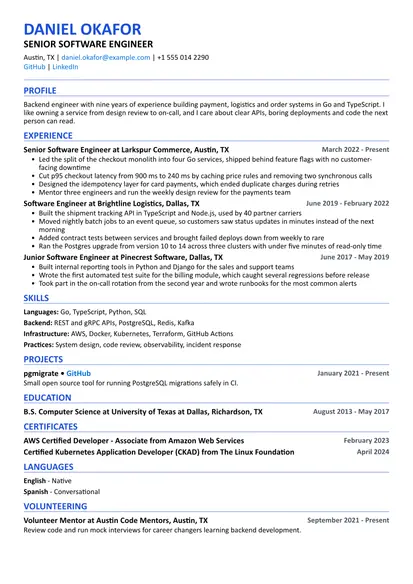
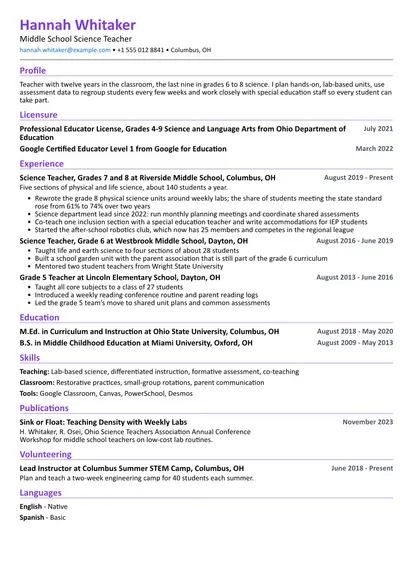
When you are a student, an employer isn't comparing your work history with someone who has ten years of it. They want to know what you study, what you have built or organized, and whether you will show up and do the work. This template leads with education and projects for that reason. It uses the Compact layout with section icons, which keeps a student resume clear on one page.
The sample belongs to a third-year computer science student looking for an internship. The same structure works for any field: swap the projects for lab work, a thesis, a portfolio or a club you run. Replace the content with your own and remove the sections you don't need.
Template at a glance
| Setting | This template |
|---|---|
| Layout | Compact, with section icons |
| Length | One page |
| Best for | High school students, university students, recent graduates, internship and part-time applications |
| Section order | Summary, education, projects, experience, skills, volunteering, languages |
| Also works in | ATS Friendly (for large employers with online applications), Simple |
What employers look for in students
People who hire students read for potential. They know you haven't led a team or shipped a product used by millions. What they want to see is evidence that you can learn, that you finish what you start and that you are easy to work with.
That evidence comes from places you might not think of as experience. A class project shows you can build something to a deadline. A part-time job shows you turn up on time and deal with customers. Running a club event shows you can organize people. A good grade in a hard course shows effort in a subject that matters to the role.
Many internship applications go through a recruiter or a tracking system first. Use the plain names of your degree, courses and tools so they match the job post. Then make sure a person reading it quickly can see your level, your field and when you are available.
How to write each section
Header and contact details
Your name, a short line about who you are, your city, email, phone and one or two links. The line under your name can be your degree and year, for example "Computer Science Student" or "Marketing Graduate, 2026". Add LinkedIn if your profile is up to date, and a GitHub, portfolio or Behance link if it shows real work.
Use a simple email address. Your university address works while you are enrolled. If you graduate soon, use a personal address you will keep, made from your name.
Summary or objective
Two or three sentences that say what you study or just finished, what role you are looking for, when you can start and one or two things you bring. Specific beats polished. These examples show the pattern:
High school: High school senior looking for a part-time job in retail or food service on weekends and after 4 pm. I have run the school's snack stand for two years and I'm comfortable handling cash and busy lines.
University: Third-year computer science student looking for a summer 2027 software internship. I have built two full-stack projects, tutor first-year students in programming and work part time at the campus help desk.
Recent graduate: Business graduate with a focus on marketing, available to start in July. During my degree I ran social media for a student society and completed a three-month internship in a small agency, where I wrote campaign reports for clients.
Education
This is the most important section on a student resume, so put it first. Give the degree or diploma, the school, the city and the dates. If you haven't graduated, write the expected date, for example "Expected May 2027." Add your GPA when it helps you.
Below that, add a short line of relevant courses when they match the job. A finance internship cares about accounting and statistics courses more than general requirements. Honors, scholarships, awards and the Dean's List fit as short bullets. A thesis or capstone can go here too, with one line about the topic.
Projects
Projects are the student version of work experience. A good project entry says what you made, the tools you used and what happened. "About 300 students used it during finals week" is better than "a web app for students."
Course projects count. So do hackathons, research with a professor, a club event you organized, a design portfolio or a business plan for a competition. If it was a team project, say what your part was. Add a link when there is something to look at.
Experience, including part-time jobs
Working at a café, a help desk, a store or a summer camp shows reliability and that you can deal with people. Describe it the same way as any job: the employer, your title, the dates and what you did. When you can, add a number. "Answer about 40 requests a week" says more than "helped customers."
Internships go here as well. If you have had one or two, you can call the section "Experience" and list internships and part-time jobs together, newest first.
Skills
Keep skills honest and specific. Group them by type, for example software, technical skills and languages. If you used a skill in a project listed above, the reader can see where it came from. Leave out soft skills like "hard-working" or "team player" and show them through your bullets instead.
Activities and volunteering
Volunteering, student societies, sports teams and part-time caregiving are good material when you held a role or did something concrete. "Volunteer instructor, teach weekly Python lessons to middle school students" is specific. "Member of the coding club" is not, so add what you did there.
Leadership roles deserve a bullet or two. Treasurer of a society, captain of a team or organizer of an event all show responsibility.
Writing bullets with no experience
Start each bullet with a verb, say what you did and finish with what came of it. You don't need big numbers. Small, real ones work: hours, people, items, money raised, users, grades.
A simple pattern: what you did + how + what changed.
- Weak: "Helped with the charity event."
- Better: "Organized ticket sales for the society's charity dinner and sold 120 tickets in two weeks."
Examples by type
Part-time jobs
- Served customers at a busy campus café during morning rush, often more than 100 orders an hour
- Trained three new staff members on the till and opening checklist
- Handled cash and card payments and balanced the register at closing
Class projects
- Built a budgeting app in a team of four for the mobile development course; wrote the data sync with Firebase
- Analyzed survey data from 200 students in R for a statistics project and presented the findings to the class
- Designed a small bridge model for the statics course that held the highest load in our section
Clubs and leadership
- Treasurer of the debate society: kept the budget for 40 members and booked travel to four tournaments
- Organized a careers evening with five local employers and about 80 students
- Captain of the university volleyball team for one season
Volunteering
- Teach weekly Scratch and Python lessons to middle school students
- Sorted and packed donations at a food bank every Saturday during the winter term
- Helped run a reading program for children at the public library
Research
- Research assistant in a biology lab: prepared samples and recorded results for a study on plant growth
- Cleaned and coded interview transcripts for a sociology professor's project
- Co-wrote a poster presented at the university's undergraduate research day
Examples by field
Business
- Built a pricing model in Excel for a case competition; our team placed second of twelve
- Ran a small online shop selling handmade cards and kept the accounts for a year
- Wrote weekly sales summaries for the manager during a summer retail job
Engineering and computer science
- Built a web app that shows free study rooms on campus in real time, used by about 300 students
- Wrote Arduino code for a line-following robot in a first-year design course
- Contributed bug fixes to an open source library used in our course
Healthcare and science
- Shadowed nurses on a medical ward for 40 hours as part of a pre-health program
- Took and recorded vital signs as a volunteer at a community health fair
- Ran lab experiments on enzyme activity and wrote the methods section of the group report
Arts and design
- Designed posters and social media graphics for six student society events
- Built a portfolio site with twelve projects in illustration and typography
- Edited a short documentary for a film class that was screened at the end-of-year showcase
Education
- Tutored two high school students in math each week for a full school year
- Planned and led activities for groups of 15 children at a summer camp
- Helped a teacher prepare lessons and mark homework during a classroom placement
Skills and keywords
Recruiters and tracking systems often search for exact terms, so use the names people write in job posts. Only include what you have actually used in a course, project or job.
| Category | Common examples |
|---|---|
| Office and productivity | Microsoft Excel, Word, PowerPoint, Google Sheets, Google Docs |
| Technical | Python, Java, SQL, HTML, CSS, R, MATLAB, AutoCAD |
| Design and media | Figma, Canva, Adobe Photoshop, Illustrator, Premiere Pro |
| Data and research | Data analysis, surveys, lab techniques, literature reviews |
| Customer facing | Customer service, cash handling, scheduling, sales |
| Languages | English, Spanish, Arabic, French and any others, with your level |
Soft skills such as teamwork, communication and time management are what employers want most from students. Show them in bullets: leading a group project, presenting to a class or balancing a job with full-time study.
Tailoring to an internship or job post
A resume edited for each application works better than one version sent everywhere. For a student it takes ten minutes:
- Read the post and mark the skills, courses and tools it mentions more than once.
- Check that the ones you have appear in your skills and in at least one project or job.
- Adjust the line under your name and the summary to match the role, for example "Marketing Student" for a marketing internship.
- Move the most relevant projects and courses to the top of their sections.
- Drop an older or unrelated item if you need the space.
Use the same words as the post when they are true for you. If it asks for "data analysis" and you analyzed survey data for a class, say "data analysis".
Formatting and length
Keep it to one page. Use one font, a size between 10 and 12 points and the same date format everywhere. Avoid photos, tables and text boxes for important information unless the job is in a country or field where a photo is expected. This template keeps everything in plain sections that tracking systems can read.
Save the resume as a PDF and name the file clearly, for example "Aisha-Bello-Resume.pdf". Before you send it, open the PDF and check it looks right on a phone, since many recruiters read on one.
Why the sections are in this order
The template puts education first, then projects, then experience. For a student, what you study and what you have built say the most about you. A part-time job is useful, but it rarely relates to the role as directly as a good project.
Once you have a year or two of real work in your field, flip the order and move experience to the top. The software engineer template shows that structure. If you are training for a regulated job, look at the registered nurse or teacher templates, which put licenses near the top.
Mistakes to avoid
- An objective that only says you want a job. Say what kind of role and when
- Listing every course you have taken
- Projects with no description or link
- Unprofessional email addresses. Use your university address or a simple personal one
- Spreading one page of content over two
- Soft skills listed without proof, such as "excellent communicator"
- High school details after your second year of university
- Typos. Ask a friend or a career center to read it before you send it
Checklist before you send it
- Your expected graduation date and availability are easy to find
- The summary names the role you want
- Every project says what you made and what your part was
- Skills from the job post that you really have appear on the page
- Links work and point to work you are happy for someone to see
- Dates and spelling are consistent, and the whole thing fits on one page
- The file is a PDF with your name in the file name